Free Download now · Upgrade later

Watch Kommanda turn messy Mac file work
into one focused workflow.

See the native macOS command center for developers and creators: dual-pane file work, AI screenshot renaming with review, Reclaim Space cleanup, previews, terminal, and Folder Graph. Free forever; Premium is optional.

AI screenshot rename75+GB Reclaim Space exampleDual-pane project navigation
Free forever No account or card Signed & notarized Local AI option

36-second demo: rename screenshots, reclaim developer junk, and navigate projects without leaving the file manager.

Founder story

I built Kommanda because Finder is fine for browsing — not for real file work.

When you manage projects, screenshots, PDFs, code, downloads, and archives all day, the work spreads across too many windows and tools. Kommanda brings that work back into one native Mac command center.

Dual-paneAI actionsLocal OllamaReclaim Space
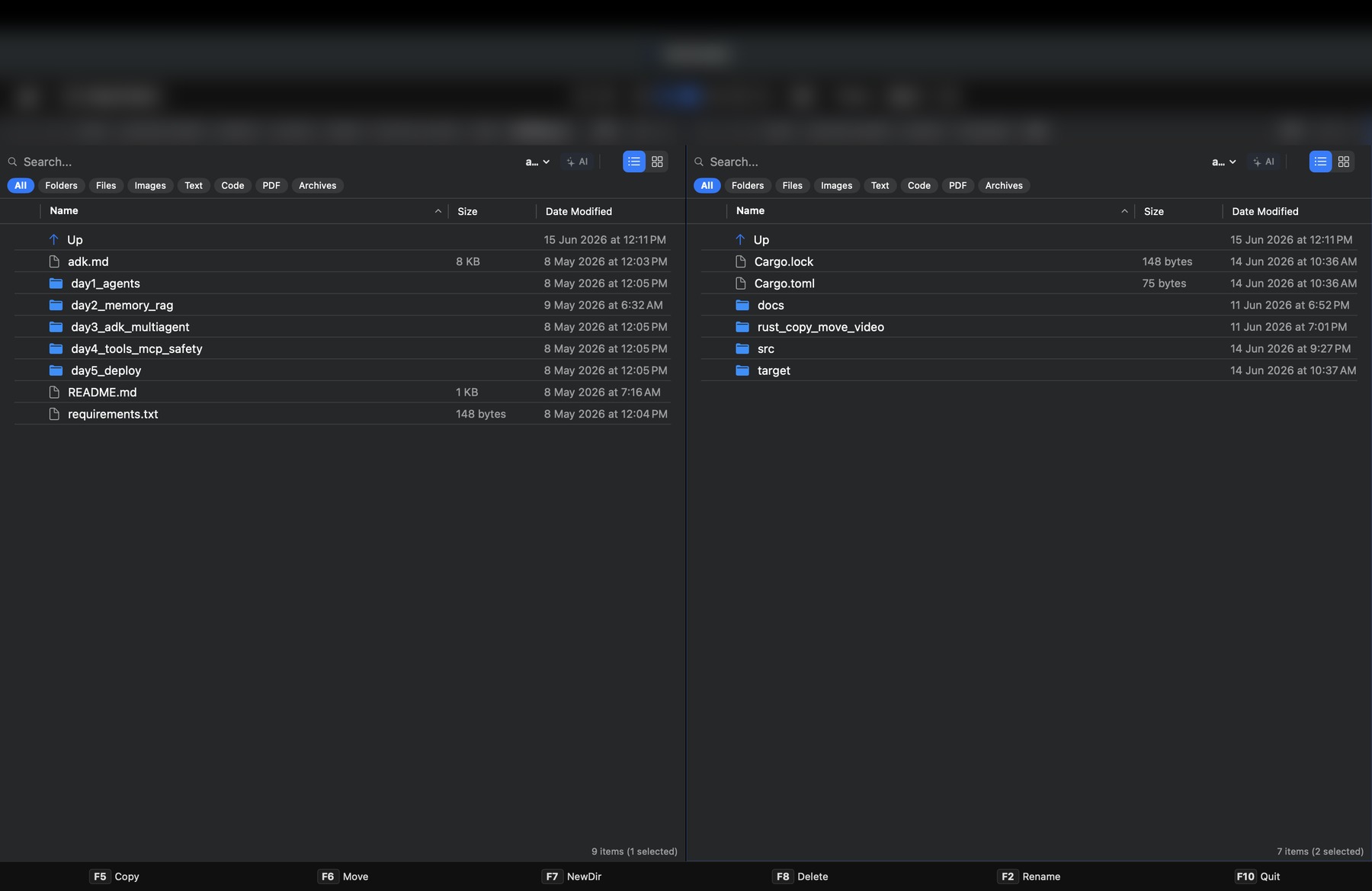
kommanda workspace
Kommanda main dual pane workspace

The proof

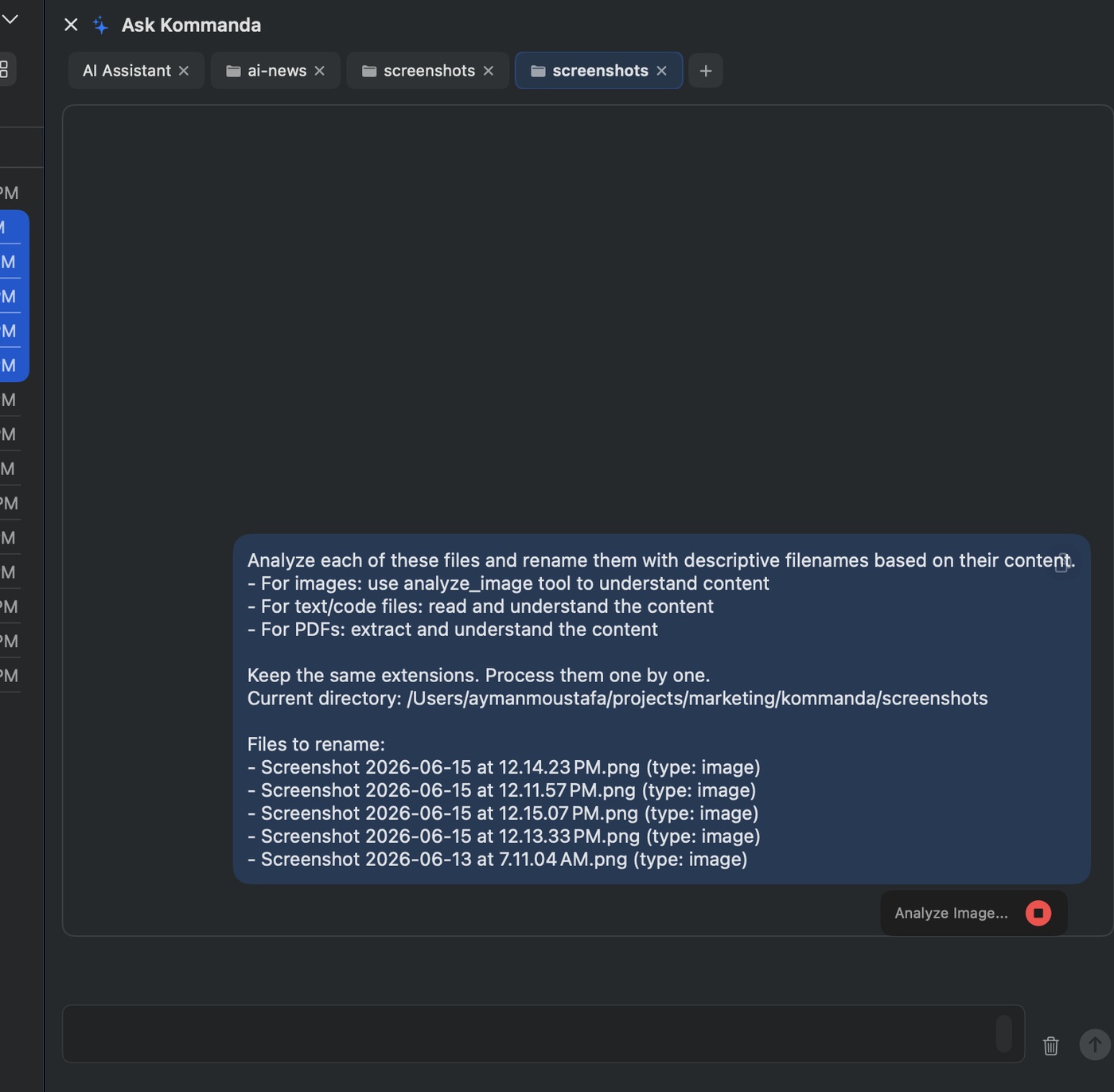
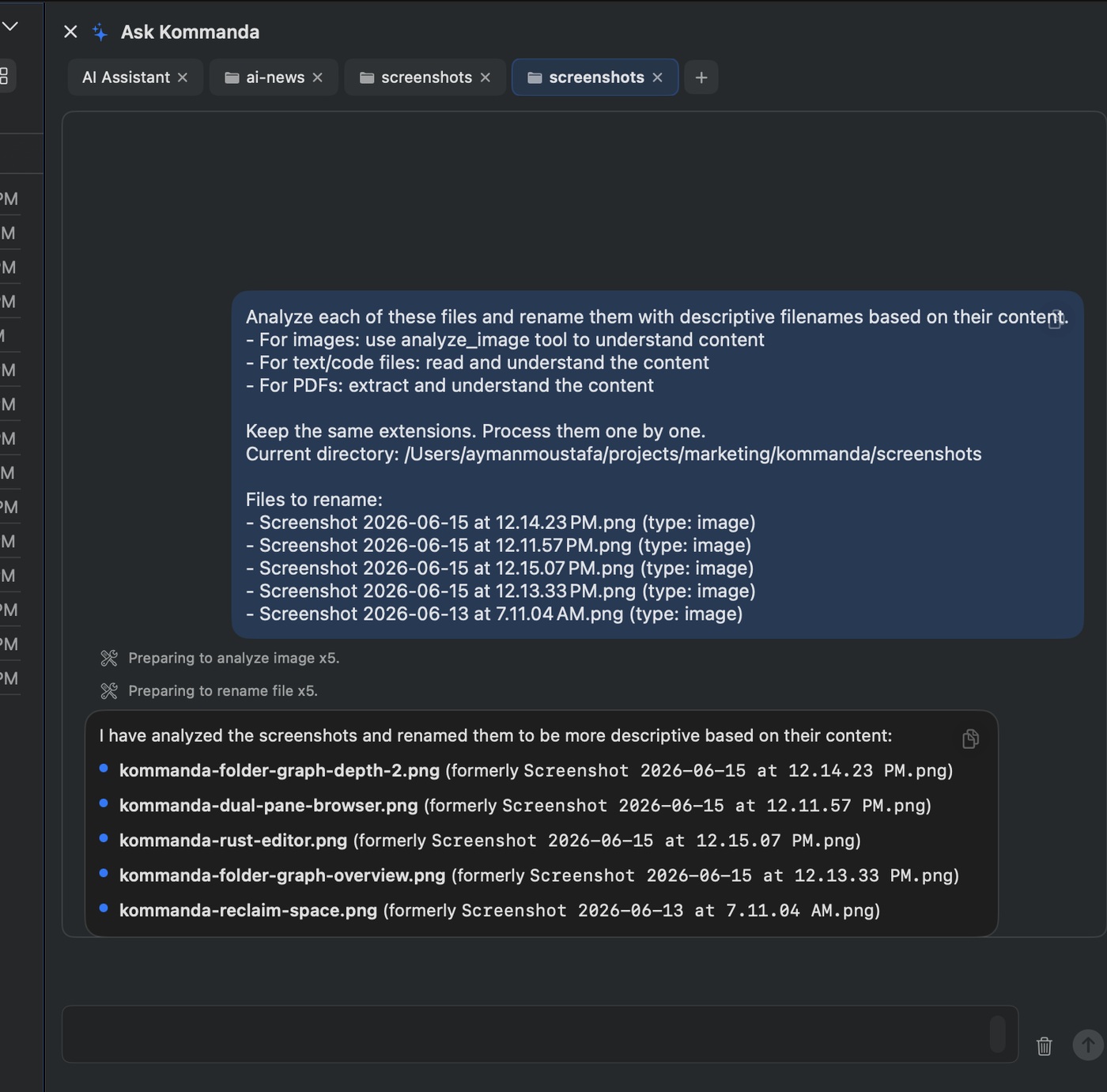
Kommanda renamed the screenshots for this launch.

This is the demo I would show first. Select messy screenshots, ask Kommanda to rename them based on what each image shows, review the proposed changes, then apply.

“Not a chatbot next to your files — an AI agent that safely helps with file work.”

Core launch message
ask AI
AI request to rename screenshots
results
AI renamed screenshot results
Reclaim Space
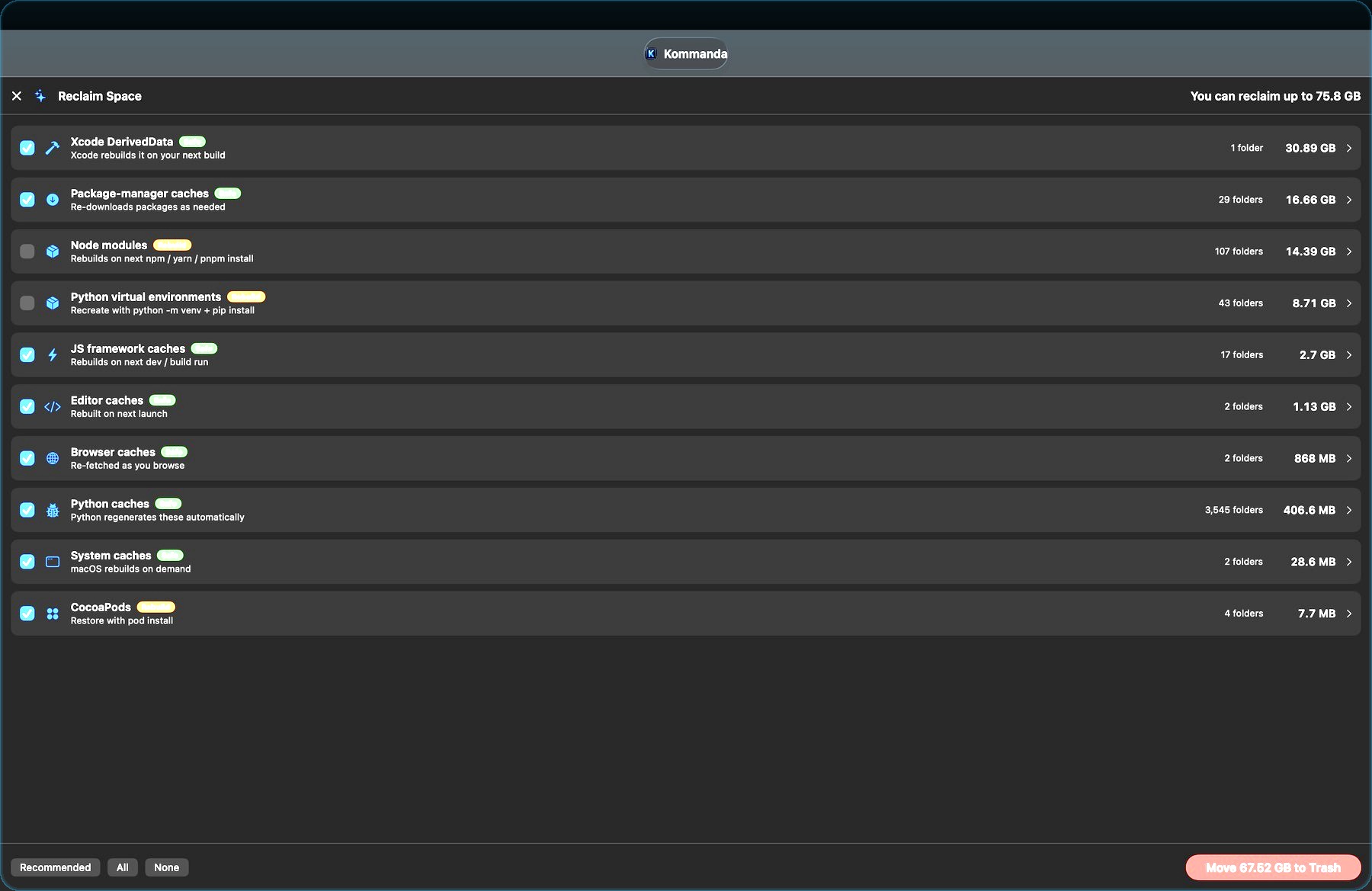
Reclaim Space 75 GB developer cleanup

The wow moment

75+GB

of rebuildable developer junk found.

Kommanda scans common developer cache locations: Xcode DerivedData, node_modules, Python virtualenvs, package caches, browser caches, and ML caches.

What to try first

Three launch demos that show the product instantly.

1. Rename screenshots

Select screenshot files and ask Kommanda to rename them based on image content. Review, confirm, apply.

2. Clean dev junk

Run Reclaim Space and show how much rebuildable storage Kommanda finds on a real developer machine.

3. Navigate projects

Use dual-pane F5/F6 operations, previews, terminal, and Folder Graph to show the app as a command center.

For Product Hunt and Reddit

Built for feedback from people who live in files.

Kommanda is launching as a focused Mac utility: practical, fast, keyboard-first, and AI-assisted only where it makes file work better.

  • Free forever with core file manager, Reclaim Space, Folder Graph, and previews.
  • Local AI option through Ollama.
  • Safe AI actions with preview and confirmation.

Free forever · Premium optional

Download Kommanda first.

The Free version includes the core dual-pane file manager, Reclaim Space, Folder Graph, previews, archive/image tools, and one basic AI tab. The first 14 days unlock Premium features with no credit card.

Free version keeps working
Free

No account · No credit card · Upgrade later if you want.

Download FreeUpgrade to Premium

Premium is a one-time $29 purchase and unlocks the command-running AI agent, unlimited AI tabs, Terminal, advanced PDF tools, Scheduled Tasks, and Premium themes.

Free download · Feedback welcome

Try Kommanda and send feedback.

If you work with files all day, download the free version and tell me what should improve next.