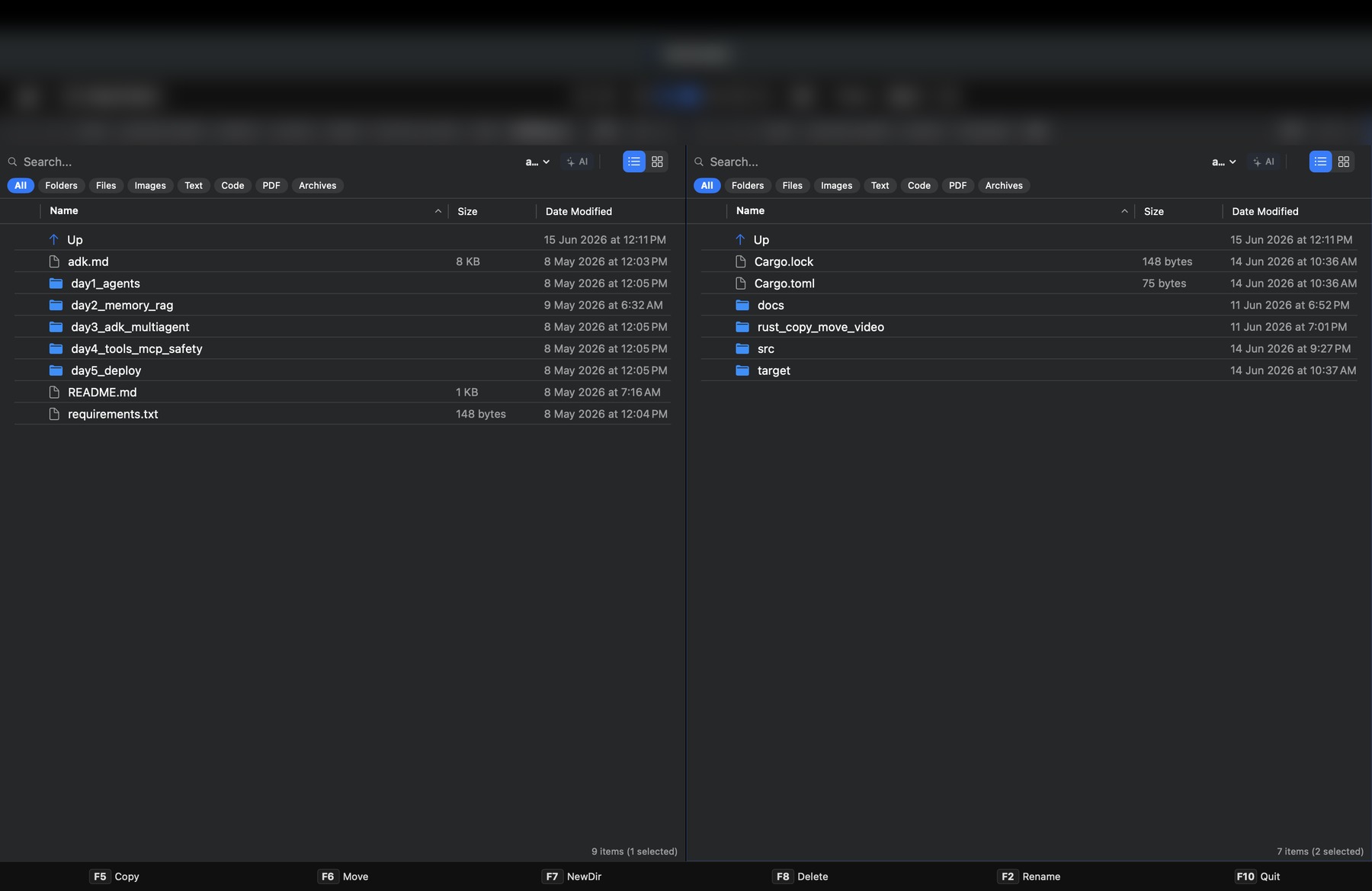
Finder is fine for browsing. Kommanda is for project work: dual- or single-pane operations, live previews with syntax highlighting, an embedded terminal, and a view of exactly where your disk went — plus a cleaner that only ever touches rebuildable build junk, never your source.
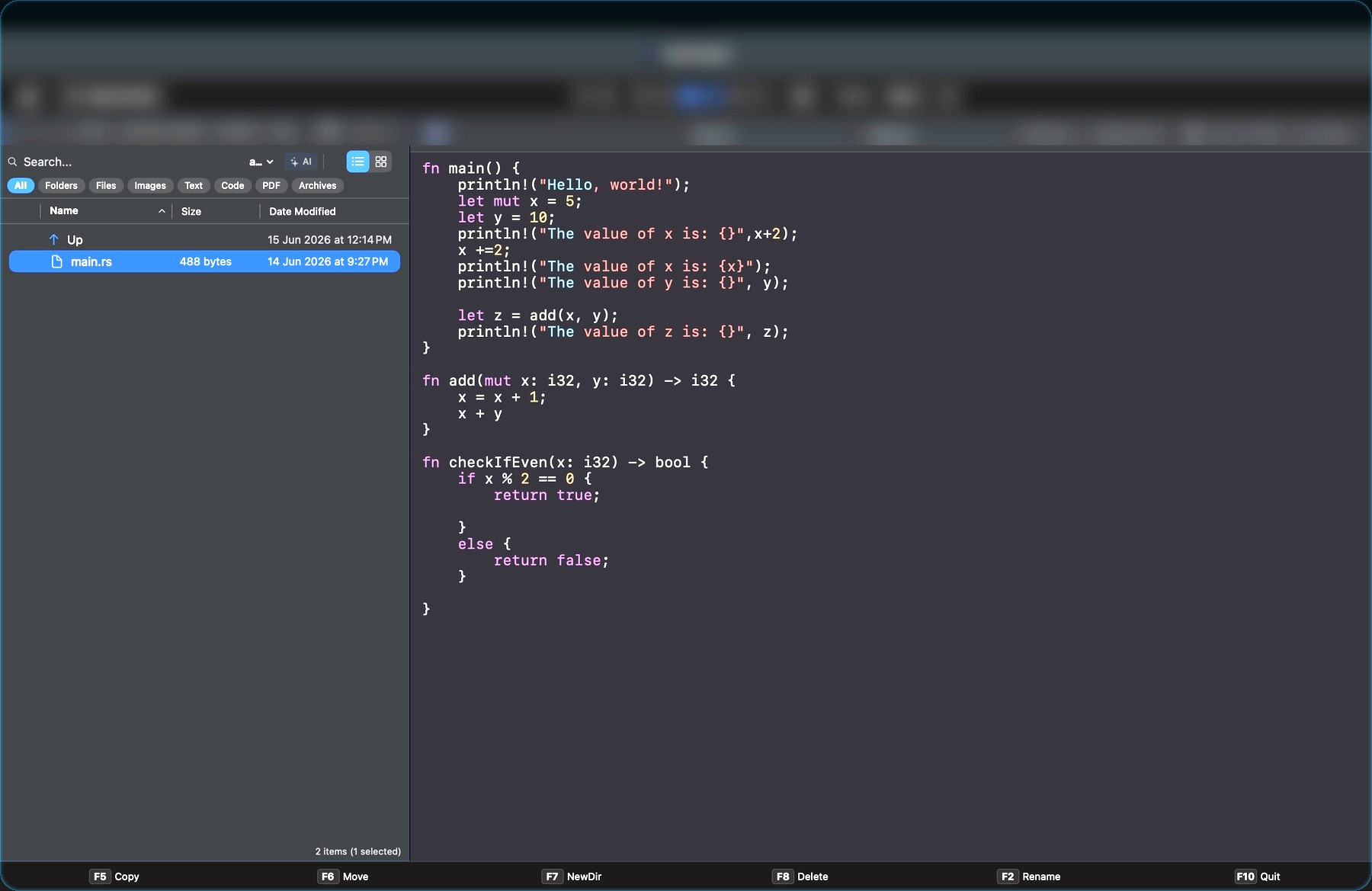
Dual-pane source and target, live previews, terminal, Reclaim Space, Folder Graph, and an AI assistant (Beta) — in one app.
The problem
When your day is full of screenshots, downloads, PDFs, code, archives, and project folders, browsing is not enough. You need a command center.
What makes it different
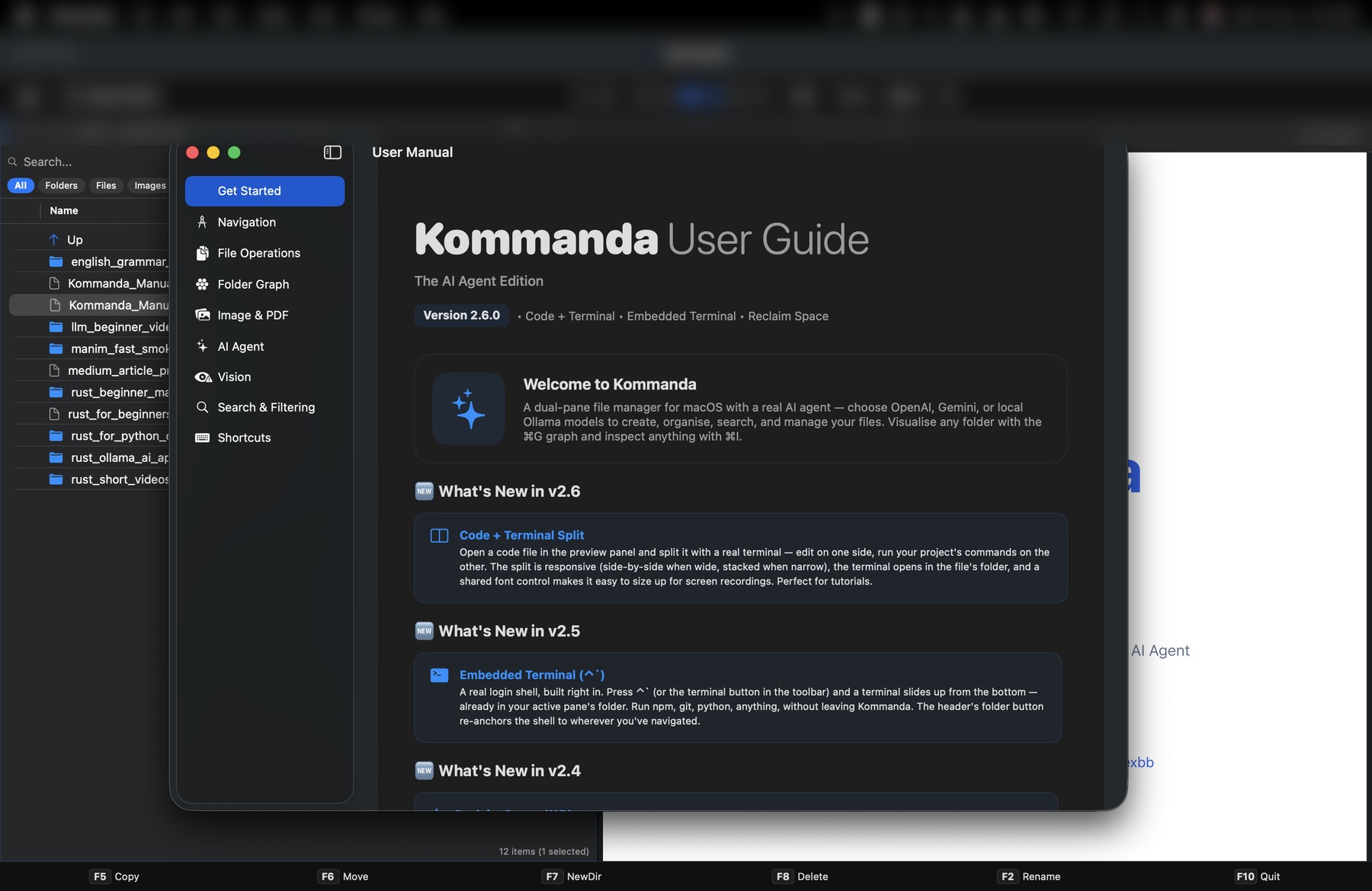
Source and target stay visible. Copy with F5, move with F6, create folders with F7, and keep your hands on the keyboard.
Free includes one basic AI tab for natural-language help. Pro adds the command-running AI agent and unlimited AI tabs.
Preview images and PDFs, inspect code, use archive tools, launch terminal, and visualize folder structure without leaving your file manager.
Real proof
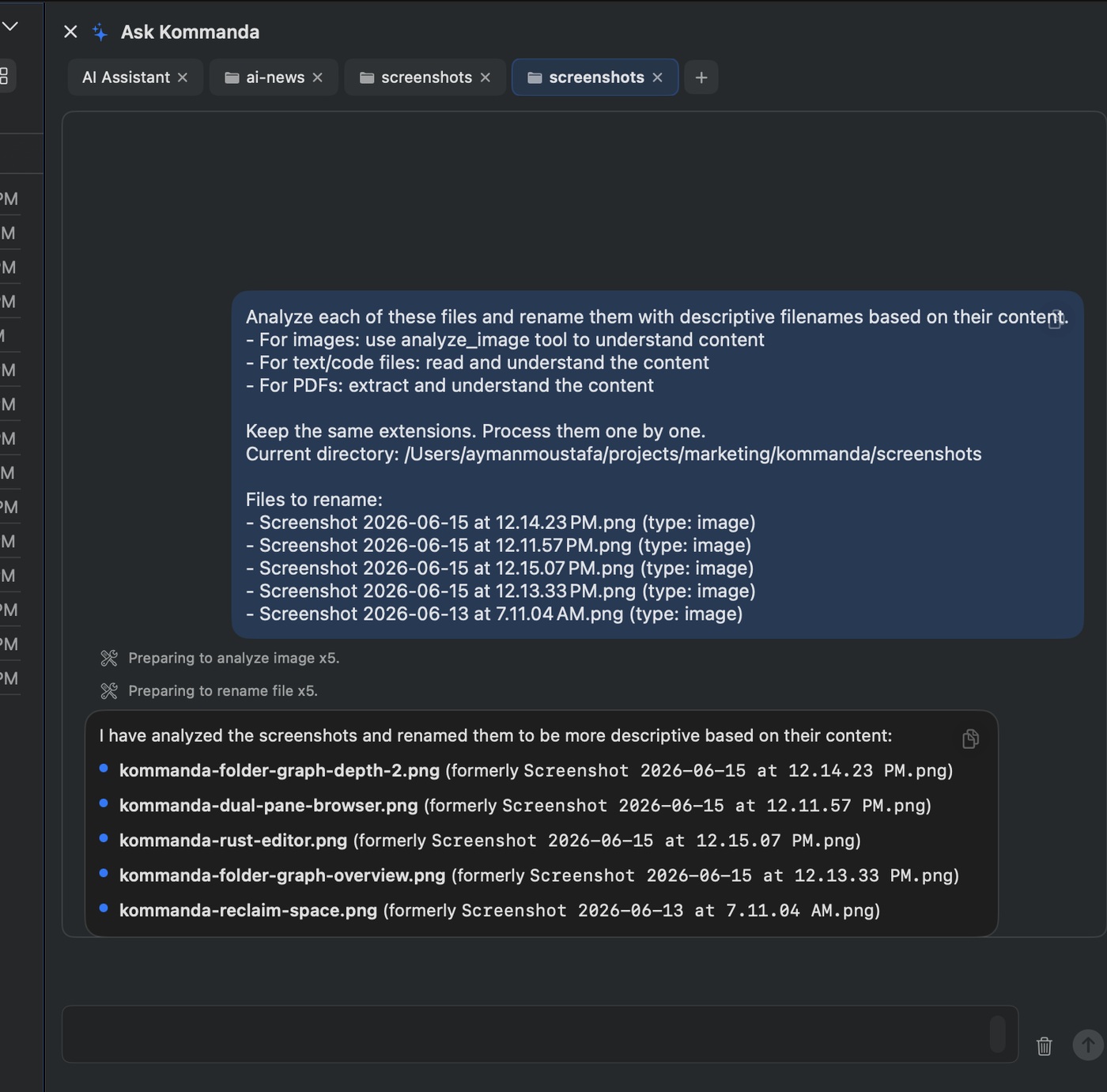
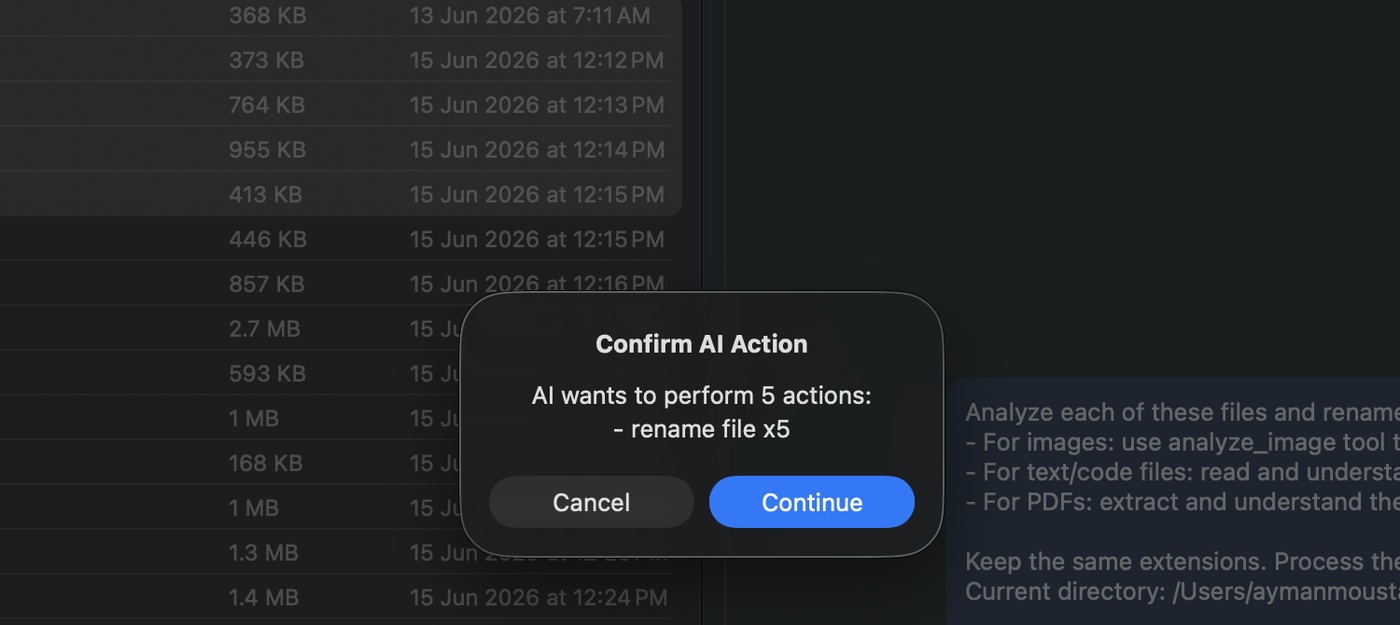
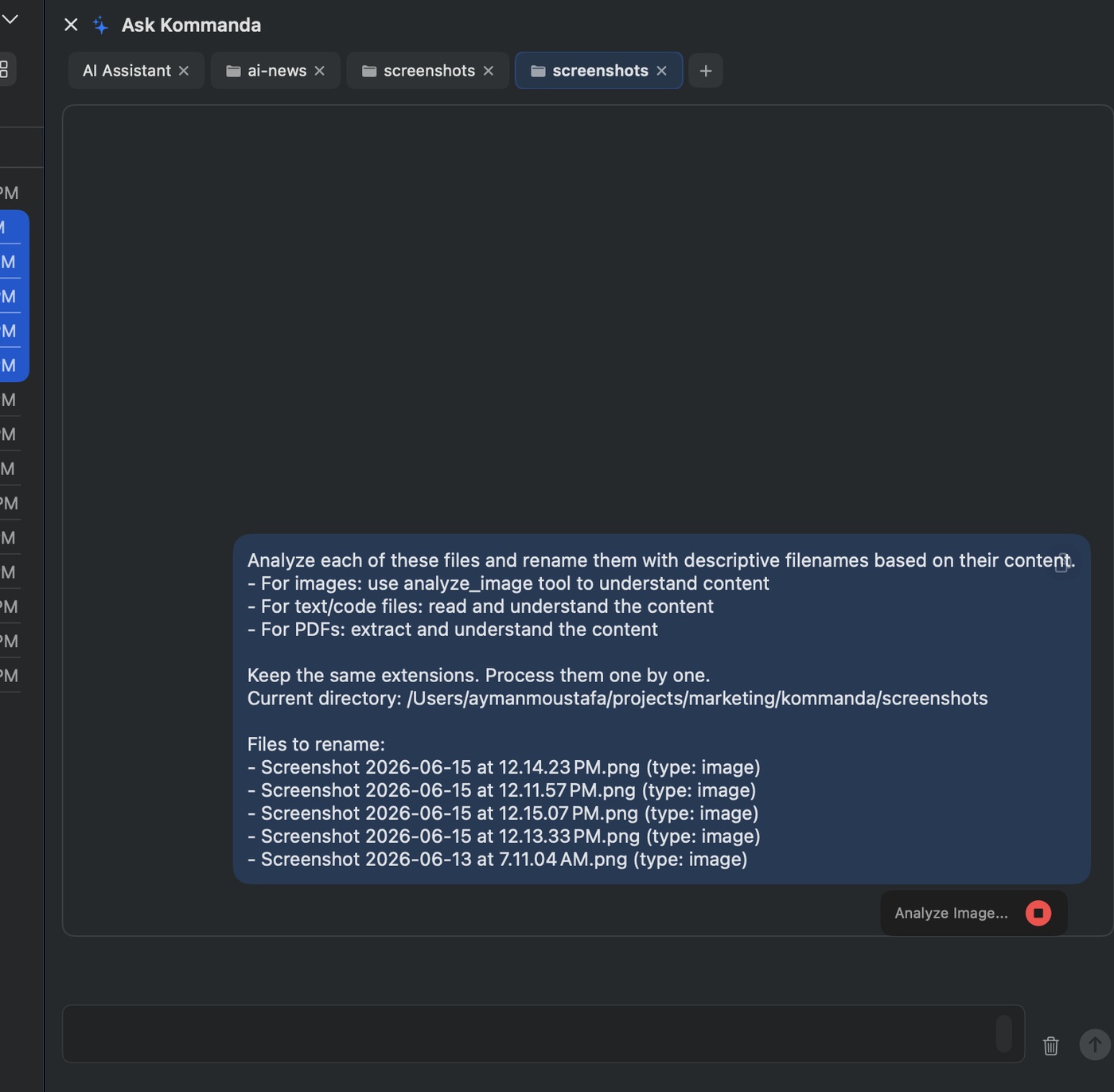
The screenshots for this launch started as generic macOS filenames. Kommanda analyzed what each image showed, drafted clear descriptive names, asked for confirmation, and renamed them into useful marketing-ready assets.


Reclaim Space
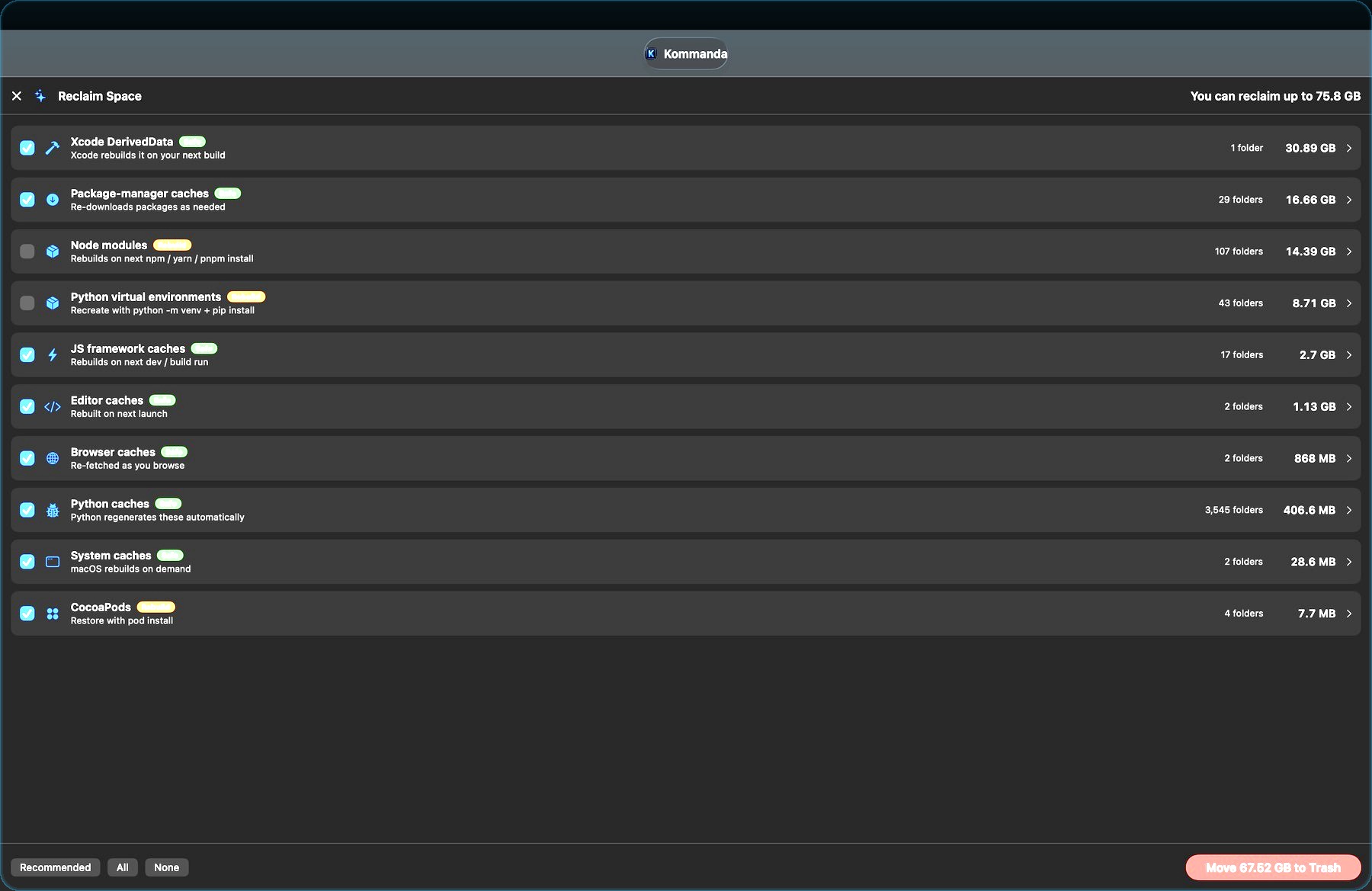
Kommanda scans rebuildable junk you can usually recreate: Xcode DerivedData, node_modules, Python virtual environments, package caches, browser caches, and ML caches.
For developers and creators
Kommanda is especially useful when your file work touches code, content, screenshots, PDFs, downloads, and local AI tools every day.
F-key file operations and command palette style actions reduce repetitive mouse work.
Use private local AI for file summaries and organization without sending content to cloud models.
Open the active folder in terminal and keep command-line work connected to file context.
Read PDFs, images, Markdown, code, and archives without constantly changing apps.
Create and inspect compressed files directly from your file workflow.
Find rebuildable folders that quietly eat disk space across projects and tools.
Open code files with syntax-aware viewing for quick inspection and handoff.
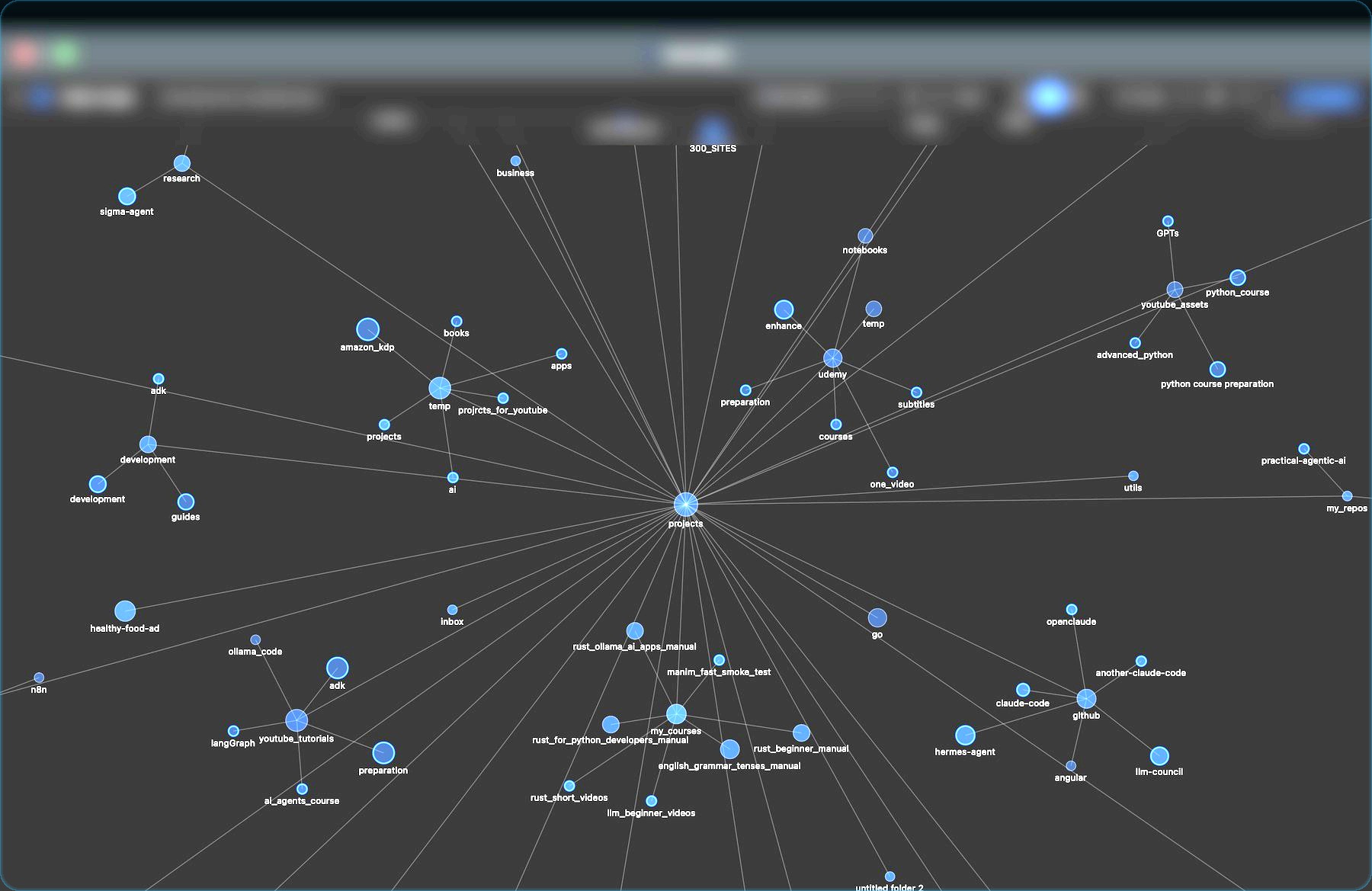
Visualize large project folders when a tree view stops being enough.
Folder Graph
When a project grows too deep for a simple list, Folder Graph gives you a visual overview of structure and relationships so you can understand what is inside before reorganizing it.


Local & private
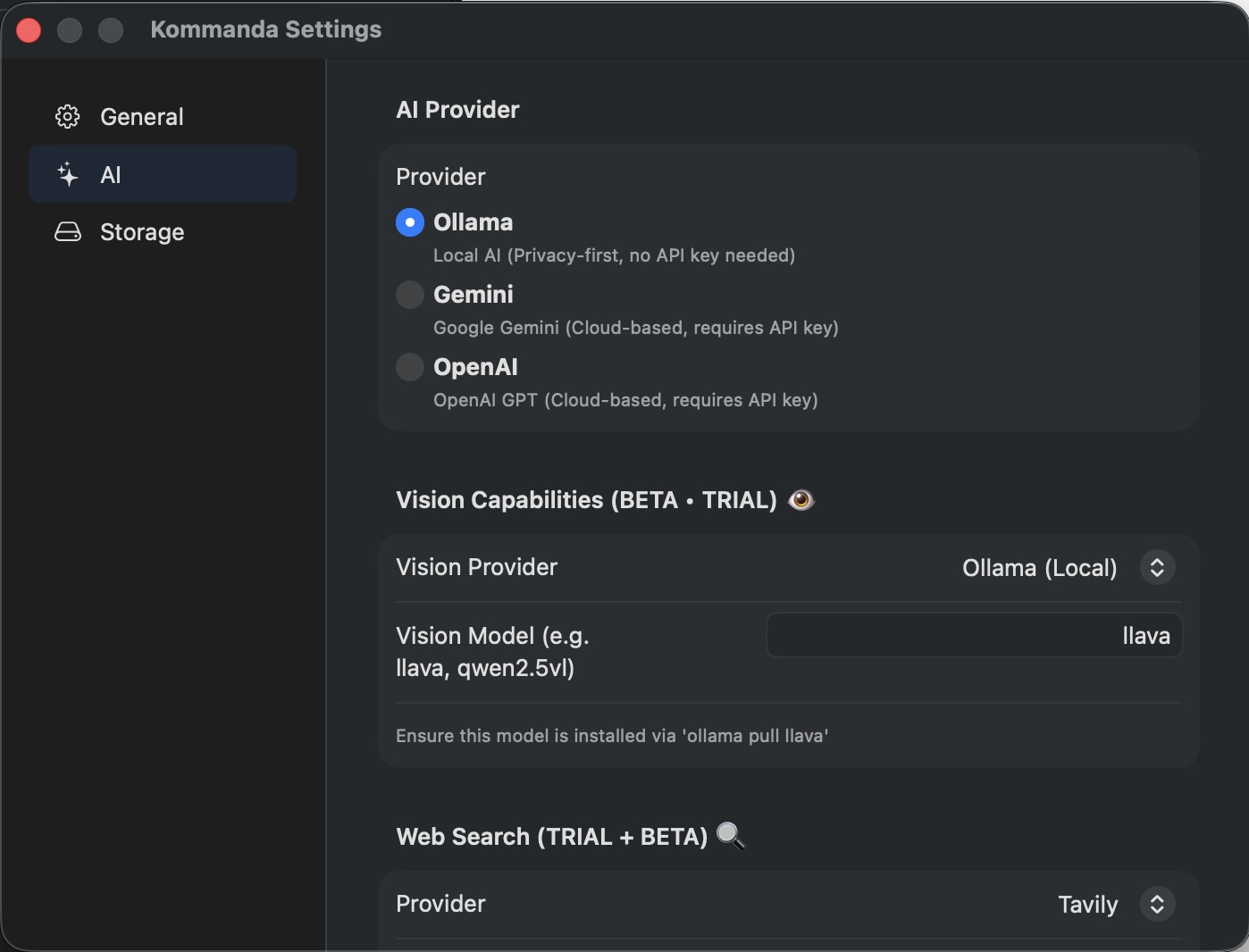
Bring your own AI key for AI workflows. Use Ollama locally, or connect OpenAI/Gemini when you want cloud power. File-changing AI actions require explicit confirmation.
Safety
Kommanda is designed for control. The AI drafts a plan. You review the exact create, move, rename, or delete actions. Then you apply, review each step, or cancel.

A closer look


Free core · 14-day Pro trial
Kommanda is not pay-to-try. The Free version keeps working forever. Your first 14 days unlock every Pro feature with no credit card, so you can decide after using the real app.
$0
No account. No card. Download the Mac app directly and keep using the Free version.
$29 one-time
One-time. Bring your own AI key, or run a local Ollama model.
Built in public spirit
Kommanda is made by an independent developer, improved through user feedback, and designed so you can download, use the Free version forever, and upgrade only when Pro features are useful.
Built and maintained by Ayman Hamed, with direct feedback channels instead of anonymous enterprise support.
The app is still improving quickly based on real workflows from developers, creators, and Mac power users.
The main action is a direct free download. Pro is an upgrade path, not a gate before you can use Kommanda.
Questions
Yes. The Free version is free forever: dual-pane file management, Reclaim Space, Folder Graph, Get Info, previews, image/archive tools, and one basic AI tab.
Kommanda keeps working on the Free version. You are never locked out of the app. Upgrade only if you want Pro features.
The AI pane opens on the Free version so you can look around, but sending it a message needs Pro or the 14-day trial. Pro adds unlimited AI tabs, the command-running agent, and scheduled prompts. Either way you bring your own key, or run a local Ollama model so nothing leaves your Mac.
Yes, since 2.20. Reclaim Space finds regenerable developer caches, node_modules, build artifacts and similar cleanup targets, and is part of Pro along with Folder Analysis and the Scheduler. The 14-day trial includes it, so you can see what it finds on your own machine before deciding.
No. File-changing actions are previewed and require confirmation. Kommanda drafts the plan; you decide whether to apply it, review each step, or cancel.
Built with users
Kommanda is evolving around real Mac workflows. If Finder slows you down, tell us what you want Kommanda to fix next.
Tell us what file workflow wastes your time on macOS.
Send weird behavior directly so it can be fixed quickly.
Get release notes, workflow tips, and behind-the-scenes updates.
Free core · 14-day Pro trial
Download the Mac file manager for people who live in files. Start free today, then upgrade only if premium workflows become useful.