macOS Native app · AI workflows · Local AI with Ollama

The workflow-first file
manager for the AI era.

Stop browsing your files. Start commanding them with dual-pane speed, AI-assisted workflows, and local/private model support on macOS.

macOS 14.6+ Apple Silicon + Intel One-time purchase No subscription
~/ Users/ayman/projects
● projects14 items
NameSize
src
assets
screenshots
package.json1.2 KB
README.md4.8 KB
vite.config.ts612 B
screenshots9 items
NameDate
Screenshot 3.pngMar 12
CleanShot 09.pngApr 02
IMG_4471.pngApr 18
diagram-v2.pngMay 06
hero-shot.pngMay 21
final_export.pngJun 01
F3 View
F4 Edit
F5 Copy
F6 Move
F7 Folder
⌘K Command
Preview — 9 changes · nothing applied yet
+mkdir screenshots/2026-03
Screenshot 3.png 2026-03/
CleanShot 09.png 2026-04/
+ 7 more files grouped by month

The problem

Finder shows your files.
Kommanda helps you work with them.

Passive file managers make you browse, drag, and switch apps for every small task. The work happens everywhere except where your files live.

Browsing files

Single pane — endless back-and-forth to move things
Open another app to read, edit, or summarize
Repetitive organizing done by hand, file by file
Mouse-driven — your hands leave the keyboard
VS

Commanding files

Dual-pane source → target, move in one keystroke
Read, annotate, and summarize files in place
Describe a workflow, let AI draft the actions
Keyboard-first — F-keys, ⌘K, fingers stay home

Three ways it works

A command center, not a browser.

01

Navigate faster

Dual-pane source and target, a smart path bar, bookmarks, and keyboard shortcuts for copy, move, and folder ops. No window clutter.

F5 CopyF6 Move⌘K
02

Command workflows

Describe what you want in plain language. Kommanda's agent can organize folders, summarize PDFs, and draft file operations for you.

AI agent · beta
03

Work in context

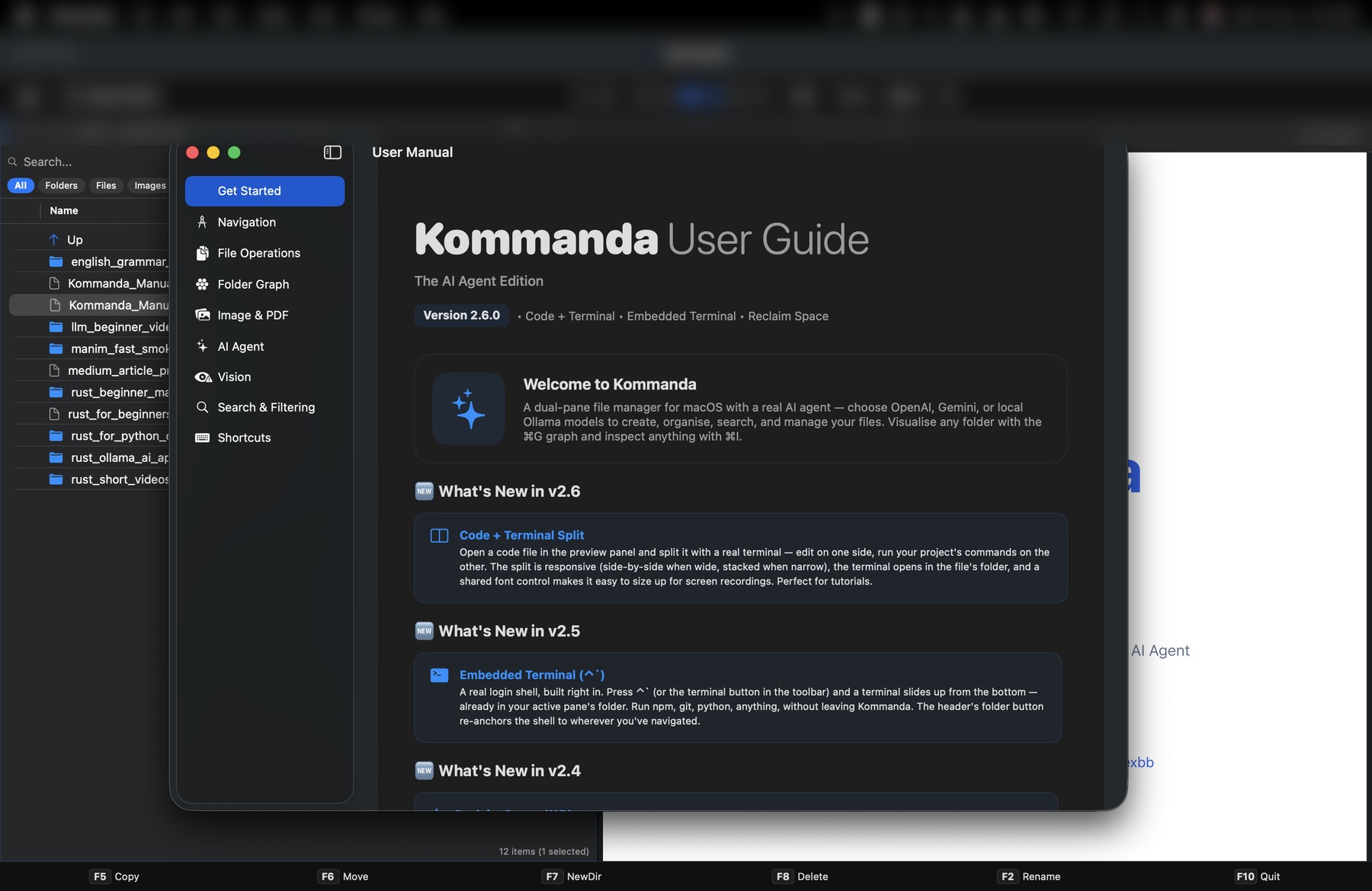
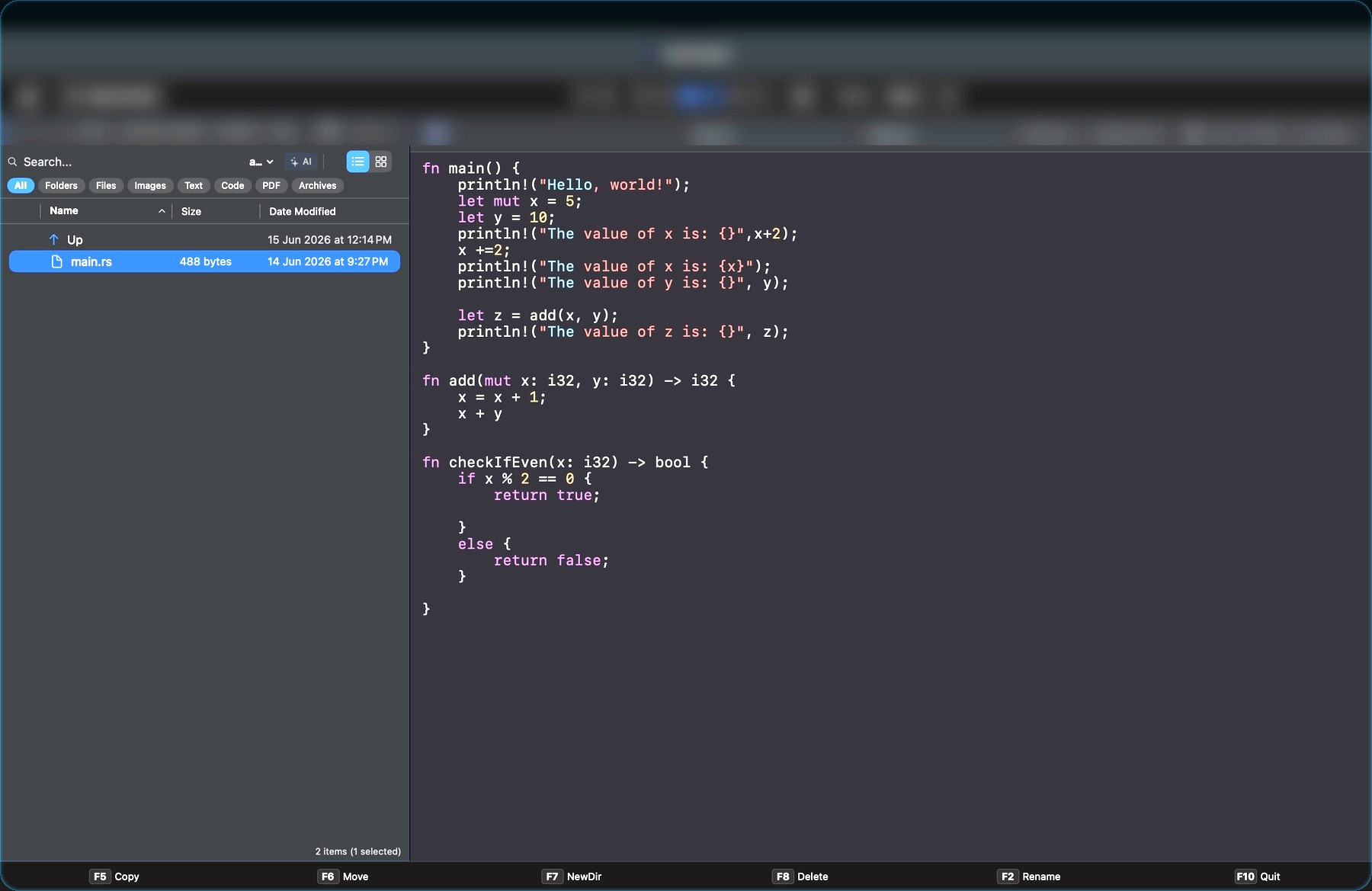
Preview and edit without leaving the app — Markdown, PDFs with annotation, code with syntax highlighting, images, ZIPs, and the terminal.

PDFCodeImagesZIP

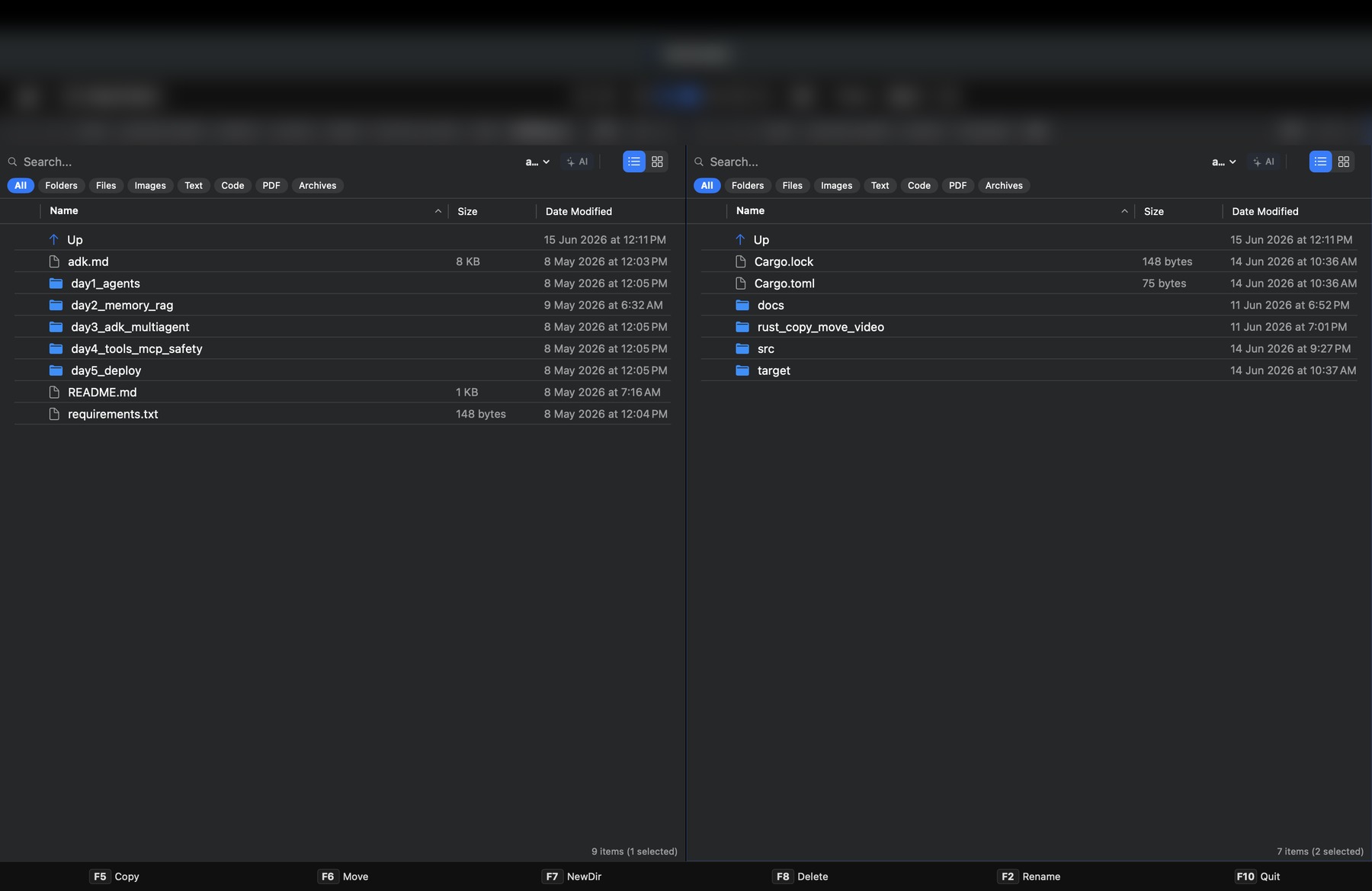
Dual-pane navigation

Two panes. One keystroke.

The proven Norton Commander layout, rebuilt for macOS. Source on the left, target on the right — copy and move without dragging across windows.

  • Smart path bar — jump to any parent directory instantly.
  • F5 / F6 shortcuts — copy and move with keyboard efficiency.
  • Terminal integration — open the current folder in Terminal in one click.
  • Bookmarks — save frequent locations for instant access.
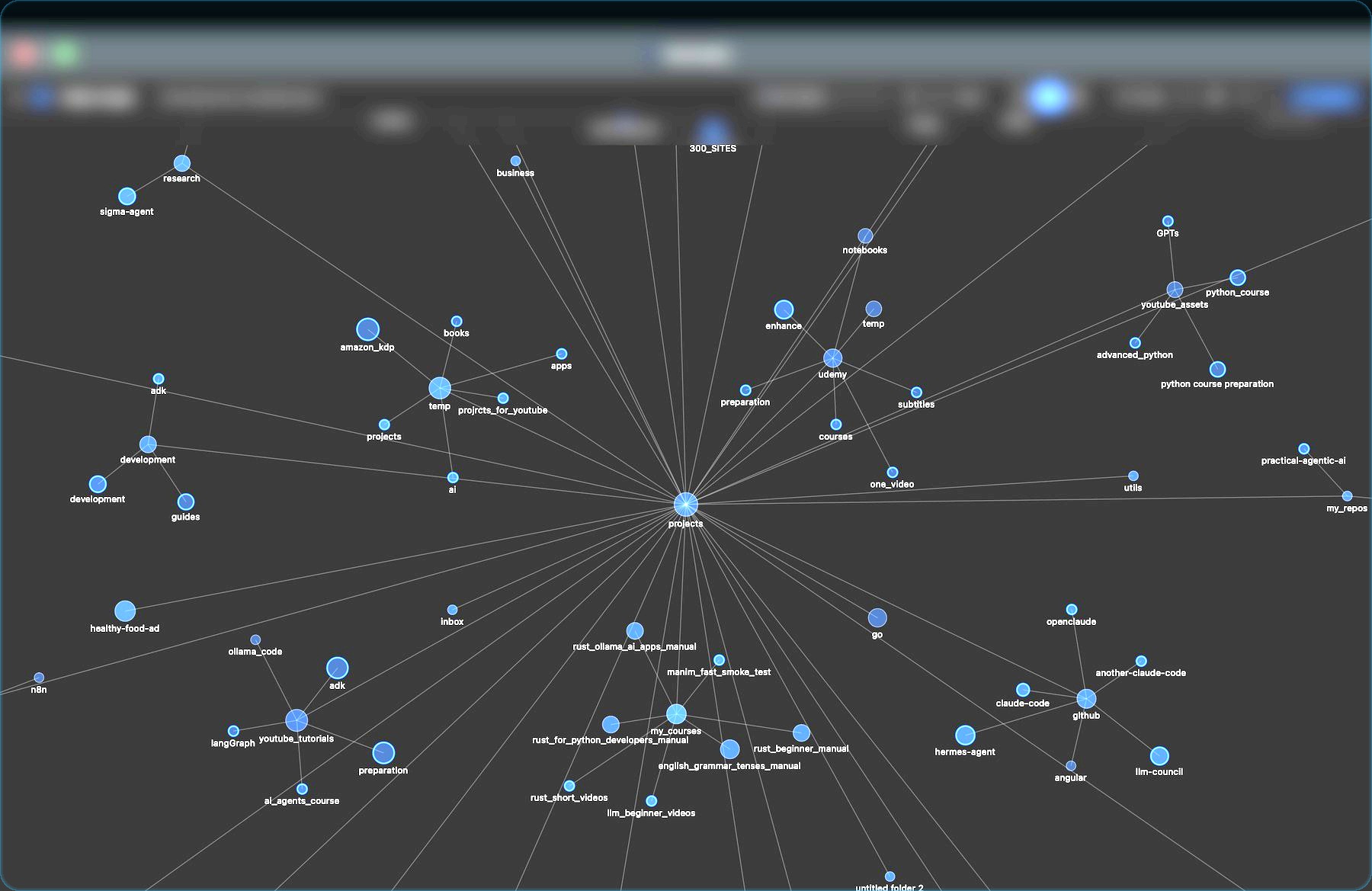
kommanda — dual-pane
Kommanda dual-pane interface with search and preview
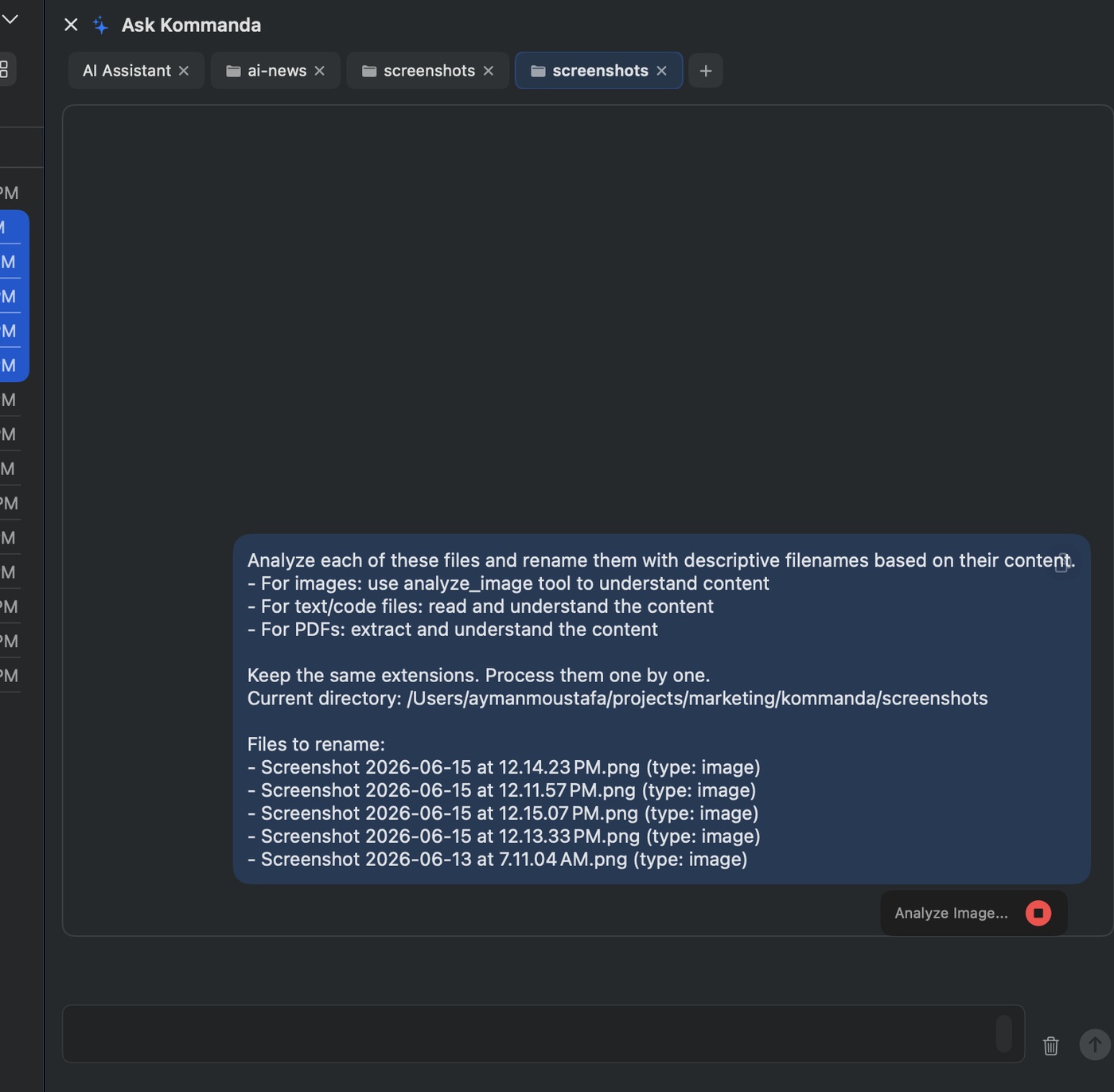
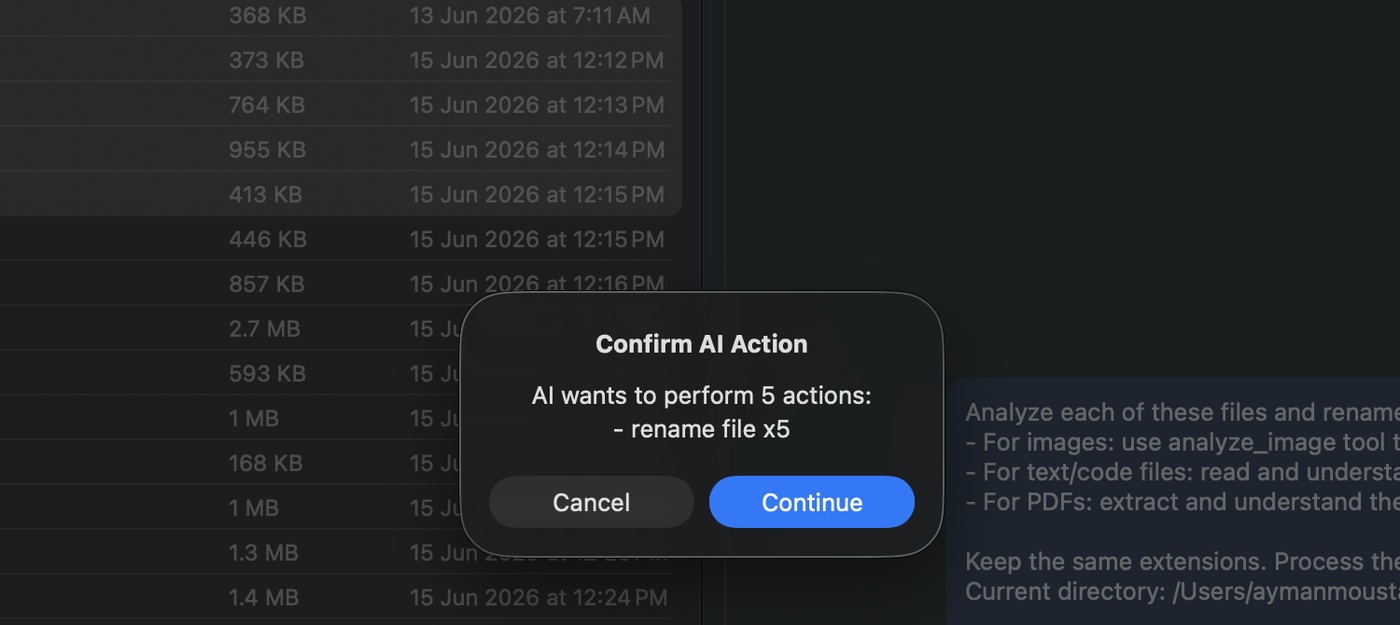
kommanda — AI command panel
Kommanda AI command panel acting on files

AI workflows

An agent with hands on your files.

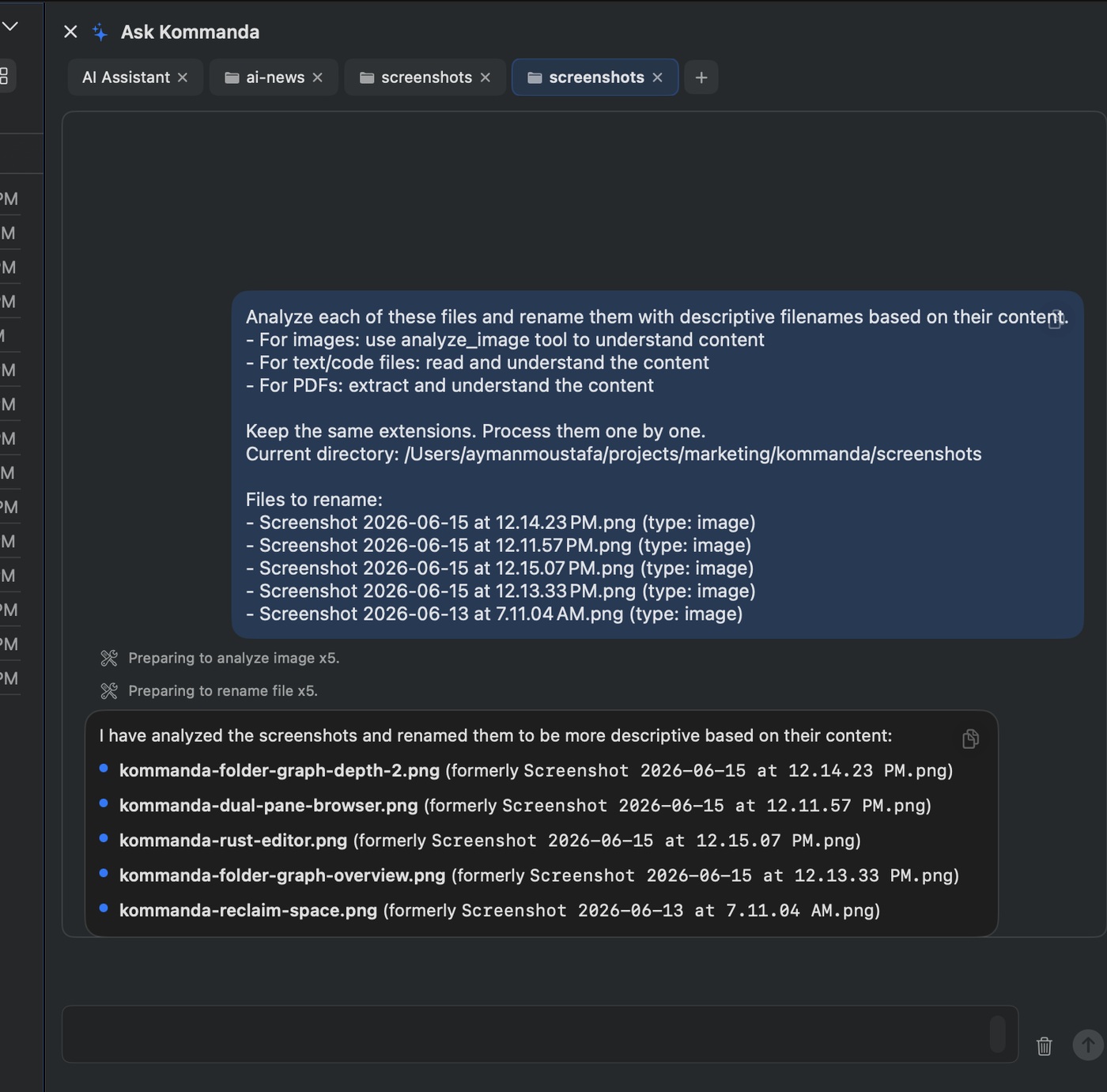
Kommanda's AI isn't just a chat box — it can act on the file system, with every change drafted as a preview you approve first.

  • Natural-language commands — "organize photos by date" or "create a project structure here."
  • Tool-equipped — create, move, rename, and process documents directly.
  • Summarize & explain — turn a long PDF or a code file into a quick brief.
AI features are in beta and improving quickly

See it work

Real tasks, fewer steps.

AI workflow⌘K
organize these screenshots by month
preview & confirm
9 files grouped3 folders created

Organize a folder

Describe the structure you want; approve the moves Kommanda drafts before anything runs.

PDF⌘K
summarize report-q1.pdf
read in the preview pane
3-paragraph briefkey dates pulled

Summarize a PDF

Read, highlight, and annotate — then get the gist without ever leaving the pane.

Dual-paneF5 · F6
move ~/src ~/archive
source pane → target pane
240 files moved0 dialogs

Move & copy fast

Source to target with a single keystroke — batch operations without dragging windows.

Local & private

Your files can stay
on your Mac.

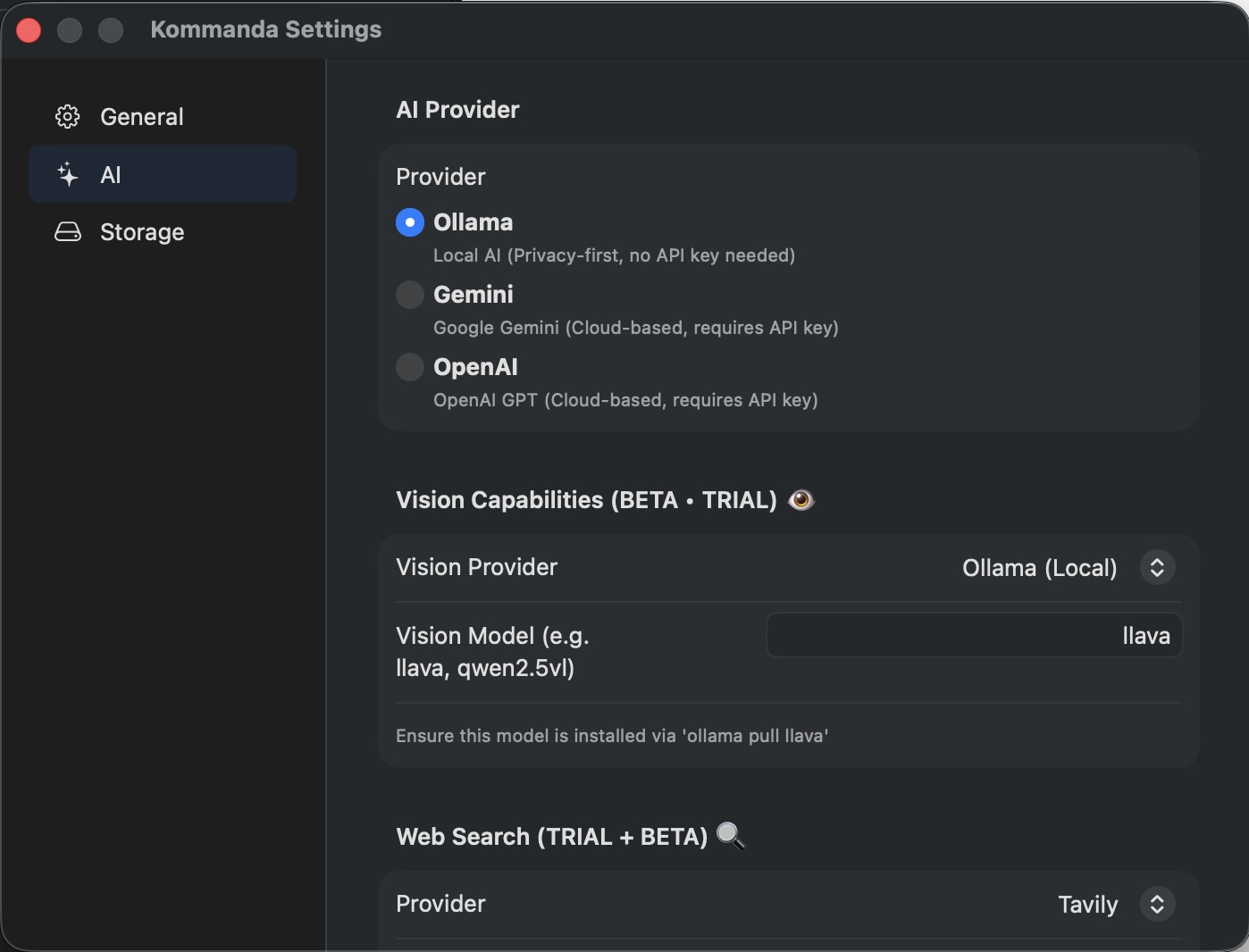
Run AI workflows entirely on-device with Ollama, or connect a cloud provider when you want more power. You choose where your data goes.

OllamaRuns locally on your Mac100% local
AIOpenAIBring your own key
GGeminiBring your own key

Built for people who care about control. Read the privacy approach →

Local processingmodel: llama3 · ollama
Network requests0 sent ✓
File contentsstay on device ✓
Provideruser-selected
Account requirednone

Switch providers anytime in settings. With Ollama selected, AI runs without sending your files anywhere.

Confirm changes before they run4 actions · nothing applied yet
NEW mkdir /Invoices/2026-Q1
MOVE invoice_*.pdf → /Invoices/2026-Q1
RENAME IMG_4471 → receipt-march.png
DELETE ~/Downloads/tmp.zip

Safety

AI actions are previewed before they touch your files.

Nothing is automatic. Every file-changing operation Kommanda's AI proposes is shown as a clear preview that you confirm — or reject — first.

  • Preview every change — see exactly what will be created, moved, renamed, or deleted.
  • Explicit confirmation — file-changing actions require your approval.
  • You stay in control — review each step or cancel the whole plan.

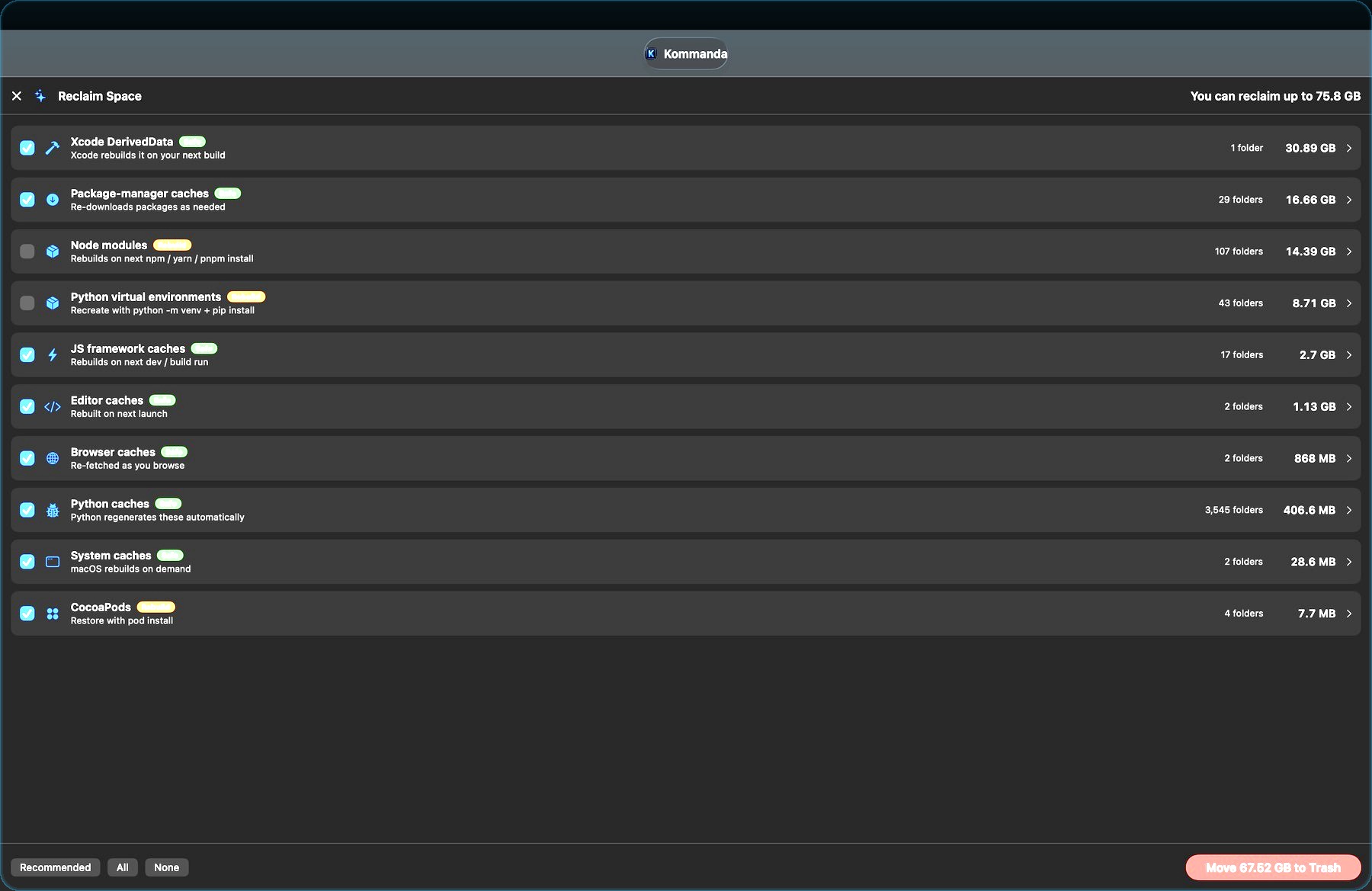
A closer look

Built for real work.

Founder Edition

One-time purchase.
No subscription.

Founder Edition
$29/ one-time

$29 regular price · $19 with Gumroad code FIRSTUSERS

14-day fully featured trial — no account needed.

14-day free trial, fully featured
One-time purchase, no subscription
Works on up to 3 Macs
macOS 14.6+, Apple Silicon & Intel
Local AI with Ollama + OpenAI / Gemini
Future updates included
Get Kommanda on Gumroad

Secure checkout via Gumroad · 14-day trial means you can try before you buy.

Questions

Good to know.

Is Kommanda replacing Finder?

Kommanda runs alongside Finder. It's a faster, keyboard-first, dual-pane way to navigate and work with files for power users — use it whenever you'd otherwise be dragging windows around.

Does the AI modify files automatically?

No. File-changing actions are previewed and require your confirmation. The AI drafts a plan; you decide whether to apply it, review each step, or cancel.

Can I use local / private AI?

Yes. Use Ollama to run models locally on your Mac so your files stay on-device, or connect OpenAI or Google Gemini with your own key when you want a cloud model.

Is it a subscription?

No. Kommanda is a one-time purchase — the Founder Edition. It works on up to 3 Macs and includes future updates.

What macOS version do I need?

macOS 14.6 or later, on both Apple Silicon and Intel Macs. There's also a Linux build available from the download page.

Founder Edition · 14-day trial

Stop browsing.
Start commanding.

The workflow-first file manager for the AI era — keyboard-first, dual-pane, and private by choice.